Hello @greenleaf
An example using a kalman filter.
https://homemadegarbage.com/reactionwheel03
https://elchika.com/article/52f804c0-e205-4185-8da4-a32f5e3700ba/
Hello @greenleaf
An example using a kalman filter.
https://homemadegarbage.com/reactionwheel03
https://elchika.com/article/52f804c0-e205-4185-8da4-a32f5e3700ba/
I made a Nixie tube clock with M5StickC.
Creation date: 2019.06.06
Creator: macsbug
blog:https://macsbug.wordpress.com/2019/06/06/m5stickc-nixie-tube-clock/
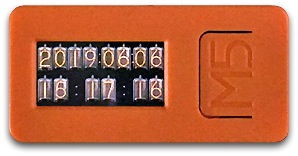
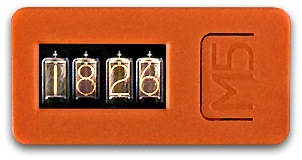
The original author of the following three articles is macsbug.
1 . M5Stack Community / PROJECTS:
Nixie tube watch simulated on M5Stick-C
http://forum.m5stack.com/topic/1085/nixie-tube-watch-simulated-on-m5stick-
2 . hackster.io:Nixie Tube Watch Simulated on ESP32 Using the M5Stick
https://www.hackster.io/McOrts/nixie-tube-watch-simulated-on-esp32-using-the-m5stick-7ab9d9
3 . McOrts/M5StickC_Nixie_tube_Clock:jun 17,2019
https://github.com/McOrts/M5StickC_Nixie_tube_Clock
Hello @User1234567
1: The ESPAsyncWebServer seems to be pressing the M5Stack's ButtonA.
M5.BtnA.wasPressed() conflicts with WiFi
https://forum.m5stack.com/topic/3262/m5-btna-waspressed-conflicts-with-wifi
How to run LVGL on M5Stack
https://forum.m5stack.com/topic/3613/how-to-run-lvgl-on-m5stack/1
Hello @Dieter_P
I don't own ATOM Lite (ESP32-PICO-D4), so I haven't checked it.
In M5Stack (ESP32-D0WDQ6-V3), there is a case where GPIO39 works without permission when using WiFi.
M5.BtnA.wasPressed() conflicts with WiFi
https://forum.m5stack.com/topic/3262/m5-btna-waspressed-conflicts-with-wifi
:
Supplement:
Example of using GPIO39.
M5Stack Basic (ESP32-D0WDQ6-V3):PULL UP with 100KΩ.
ATOM PSRAM (ESP32-V3-02):PULL UP with 5.1KΩ.
M5Stamp Pico (ESP32-PICO-D4):PULL UP with 5.1KΩ.
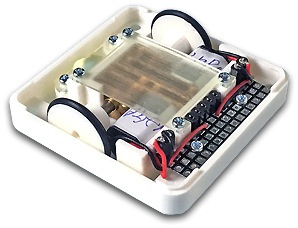
I made M5Stack Wheel Module.
Creation date : 2019.08.21
Creator : macsbug
COST : JPY 1500 ( $14 )
blog : https://macsbug.wordpress.com/2019/08/21/m5-wheel-module-moio/
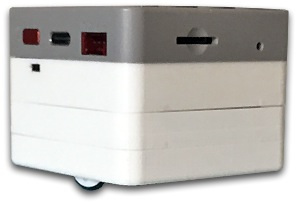
The following modules are also used:
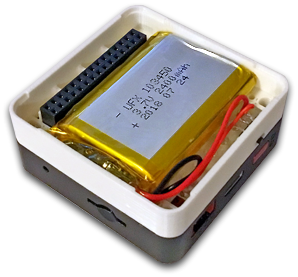
1 . 2400mA Battery Module:2018.08.20
COST : JPY 760 ( $7 )
blog : https://macsbug.wordpress.com/2018/08/20/m5stack-strongest-2400-mah-battery-module/
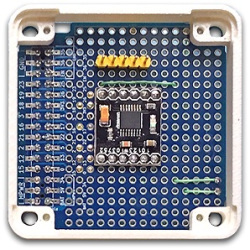
2 . Make M5Stack Servo Module:2019.08.10
COST : JPY 330 ( $4 )
blog : https://macsbug.wordpress.com/2019/08/10/make-m5stack-servo-module/
@lwtsde said in M5Paper STL Files available?:
M5Paper
Hello!
It depends on the accuracy of the 3D Printer.
M5 Paper requires high accuracy.
You need a high-precision printer.
The accuracy of the printer for amateurs is about 0.4mm width.
I think it is impossible because the accuracy is low.
Hello @dave17
How to run LVGL on M5Stack
https://community.m5stack.com/topic/3613/how-to-run-lvgl-on-m5stack
LVGL 8 demo with M5Stack , M5Stamp C3
https://community.m5stack.com/topic/4161/lvgl-8-demo-with-m5stack-m5stamp-c3
Hello @cepics
SmallHD 503 : 1920 x 1080
:--------------------------------------------------
Arduino IDE
#include <M5AtomDisplay.h>
You can set the resolution (width, height) with the argument.
If omitted, 1280, 720
// M5AtomDisplay display(); // 1280 x 720
M5AtomDisplay display(1920,1080,24); // 1920 x 1080 , 24bit
// TOSHIBA REGZA 32BC3 32inch 1366x768
// M5AtomDisplay display(1366,768); // 1366 x 768
// M5AtomDisplay display(1920/2,1080/2,24);
example
// ( 480, 1920);(1920, 480);(1280, 720);(1024, 768);
// ( 960, 540);( 800, 600);( 640, 480);( 640, 400);
// ( 640, 360);( 512, 212);( 256, 192);( 320, 240);
// ( 240, 320);( 200, 200);( 240, 135);( 135, 240);
// ( 160, 160);( 160, 80);( 80, 160);( 80, 80);
It may not be displayed correctly depending on the supported resolution of the display.
It may be possible to display by setting the resolution (width, height) to be output to the display with arguments 3 and 4.
You can also set the width and height magnification with arguments 5 and 6.
If the enlarged resolution is less than the output resolution, there will be a gap around the screen.
// M5AtomDisplay display ( 512, 384, 1280, 800, 2, 2 );
// M5AtomDisplay display ( 683, 384, 1366, 768, 2, 2 );
// ex: M5AtomDisplay display ( 400, 250, 1280, 800, 3, 3 );
In this example, 1280 is not divisible by 3, so the horizontal magnification is changed to 2.
:--------------------------------------------------
Reference :
M5GFX/docs/ATOMDisplay.md
M5GFX/examples/
https://github.com/m5stack/M5GFX
Overview of internal processing of ATOM Display(ATOM Displayの内部処理概要)
https://qiita.com/ciniml/items/30759f0083df5e07865f
Panel_M5HDMI.hpp
https://github.com/m5stack/M5GFX/blob/master/src/lgfx/v1/panel/Panel_M5HDMI.hpp#L117
:--------------------------------------------------
Exsample :
#include <M5AtomDisplay.h>
M5AtomDisplay display(1920,1080,24);
void setup(void){
display.init();
display.setRotation(0); //0=normal/1=90deg/2=180deg/3=270deg/4~7=upside down
display.setColorDepth(24); // 24bit per pixel color setting // Set the color depth
display.startWrite();
for (int y = 0; y < display.height(); ++y){
for (int x = 0; x < display.width(); ++x){
display.writePixel(x, y, display.color888(x, x+y, y));
}
}
display.endWrite();
display.startWrite();
for (int i = 0; i < 16; ++i){
int x = rand() % display.width();
int y = rand() % display.height();
display.drawCircle(x, y, 16, rand());
}
display.endWrite();
}
void loop(void){
display.startWrite();
static constexpr const char hello_str[] = "Hello ATOM Display !";
display.setFont(&fonts::Orbitron_Light_32);
for (int i = -display.textWidth(hello_str); i < display.width(); ++i){
display.drawString(hello_str,i,(display.height()-display.fontHeight())>>1);
}
display.endWrite();
}
:--------------------------------------------------
The MAX40200 is a great idea.
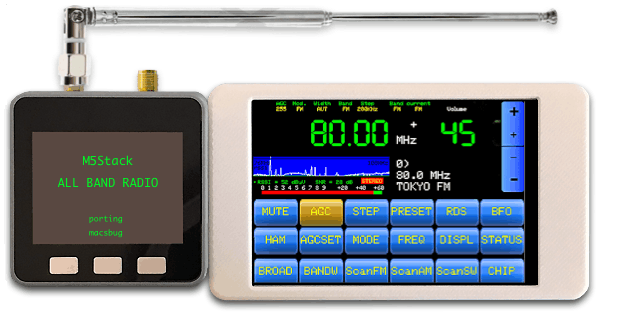
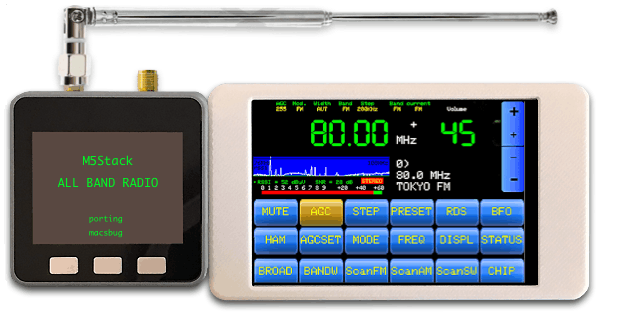
M5Stack と SI4732 DSP で ALL BAND RADIOを 製作しました。
LCDは 3.5" 480x320 SPI ILI9488 を接続しています。
BLOG : M5Stack ALL BAND RADIO
https://macsbug.wordpress.com/2026/02/26/m5stack-all-band-radio/
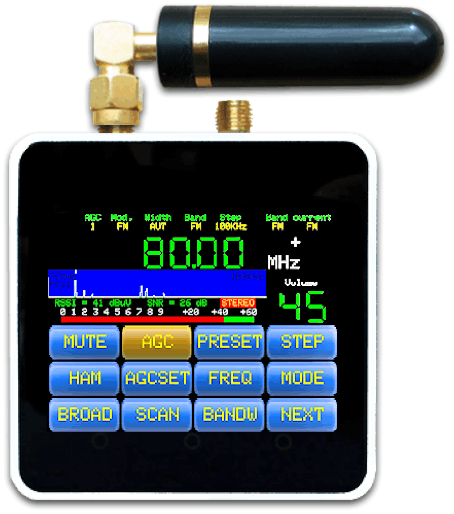
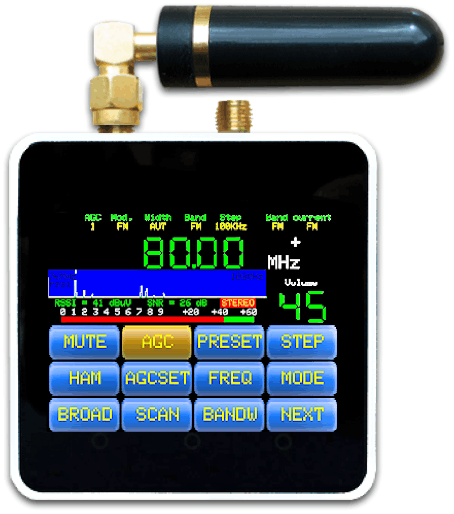
手のに乗る可愛いM5Core2 で オールバンドラジオが出来ます。
BLOG:M5Core2 All Band Radio
https://macsbug.wordpress.com/2026/02/01/m5core2-all-band-radio/
M5Core2 は 2″ 240×320 LCD と ESP32 with Touch です。
SI4732 DSP は FM/AM/SW/LW Band Receiver です。
SI4732 DSP 仕様:
FM (VHF) ( 64 – 108 MHz )
SW band ( 2.3 – 30.0 MHz )
AM (MW) ( 520 – 1710 KHz )
LW band ( 153 – 279 KHz )
Library PU2CLR / SI473X_2.8_TFT_V3.5 を M5Core2へ移植しました。
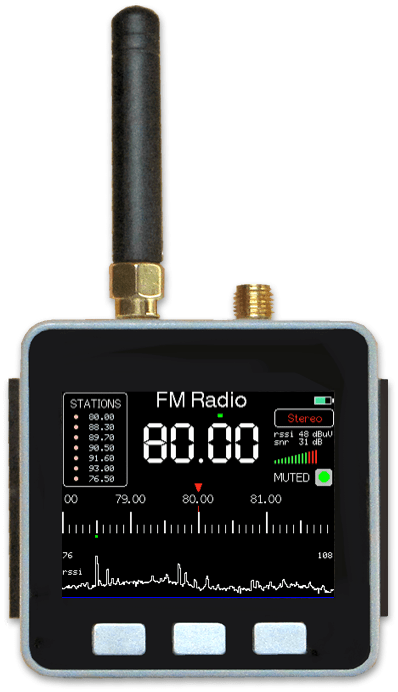
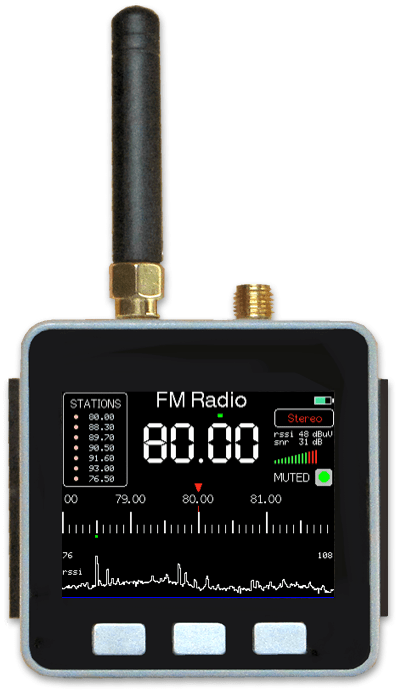
M5Stackと SI4732 DSP で FM Radio を製作しました。
アリエクで流行っている ATS mini (Encoder操作) 似の受信機です。
操作はA,B,Cボタンで 行います。
BLOG : M5Stack FM Radio
https://macsbug.wordpress.com/2025/08/14/m5stack-fm-radio/
I created an ALL BAND RADIO using M5Stack and SI4732 DSP.
The LCD is connected to a 3.5" 480x320 SPI ILI9488.
BLOG :M5Stack ALL BAND RADIO
https://macsbug.wordpress.com/2026/02/26/m5stack-all-band-radio/
You can create an all-band radio with the cute M5Core2 that fits in the palm of your hand.
BLOG:M5Core2 All Band Radio
https://macsbug.wordpress.com/2026/02/01/m5core2-all-band-radio/
The SI4732 DSP is an FM/AM/SW/LW band receiver.
SI4732 DSP Specifications:
FM (VHF) (64 – 108 MHz)
SW band (2.3 – 30.0 MHz)
AM (MW) (520 – 1710 KHz)
LW band (153 – 279 KHz)
Library PU2CLR / SI473X_2.8_TFT_V3.5 has been ported to M5Core2.
I created an FM radio using M5Stack and an SI4732 DSP.
The receiver is similar to the ATS mini (encoder operated), which is popular on AliExpress.
It is operated using the A, B, and C buttons.
BLOG : M5Stack FM Radio
https://macsbug.wordpress.com/2025/08/14/m5stack-fm-radio/
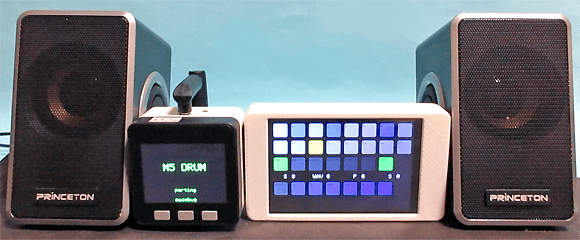
BLOG:https://macsbug.wordpress.com/2025/01/14/drum-with-m5core2/
M5Core2 320×240 LCDで KeyPadを操作しDACでDRUMを奏でます。
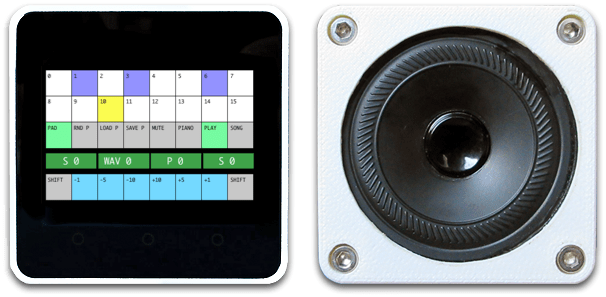
BLOG:https://macsbug.wordpress.com/2025/01/13/drum-with-m5stack/
M5Stackと3.5″ 480×320 LCDで KeyPadを操作しDACでDRUMを奏でます。
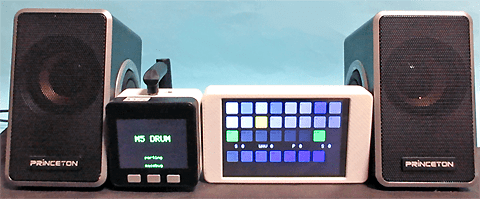
BLOG:https://macsbug.wordpress.com/2025/01/14/drum-with-m5core2/
M5Core2 320x240 LCD
Operate the keypad and play drums through the DAC.
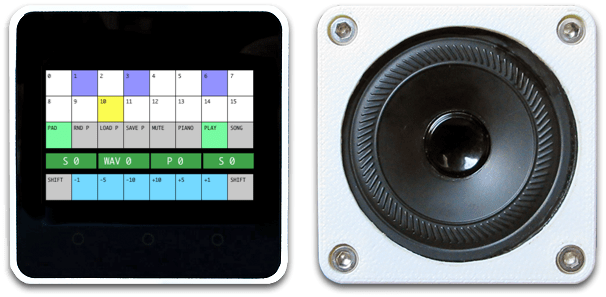
BLOG:https://macsbug.wordpress.com/2025/01/13/drum-with-m5stack/
Using the M5Stack and a 3.5" 480x320 LCD, I control the keypad and play drums through a DAC.