🤖Have you ever tried Chat.M5Stack.com before asking??😎
    M5Stack Community
    • Categories
    • Recent
    • Tags
    • Popular
    • Users
    • Groups
    • Search
    • Register
    • Login

    GNSS module DIP settings - cannot understand
    Scheduled Pinned Locked Moved PRODUCTS
    5 Posts 4 Posters 2.5k Views
    Loading More Posts
    • Oldest to Newest
    • Newest to Oldest
    • Most Votes
    Reply
    • Reply as topic
    Log in to reply
    This topic has been deleted. Only users with topic management privileges can see it.
    • O Offline
      oldrichsveda
      last edited by

      Hello,

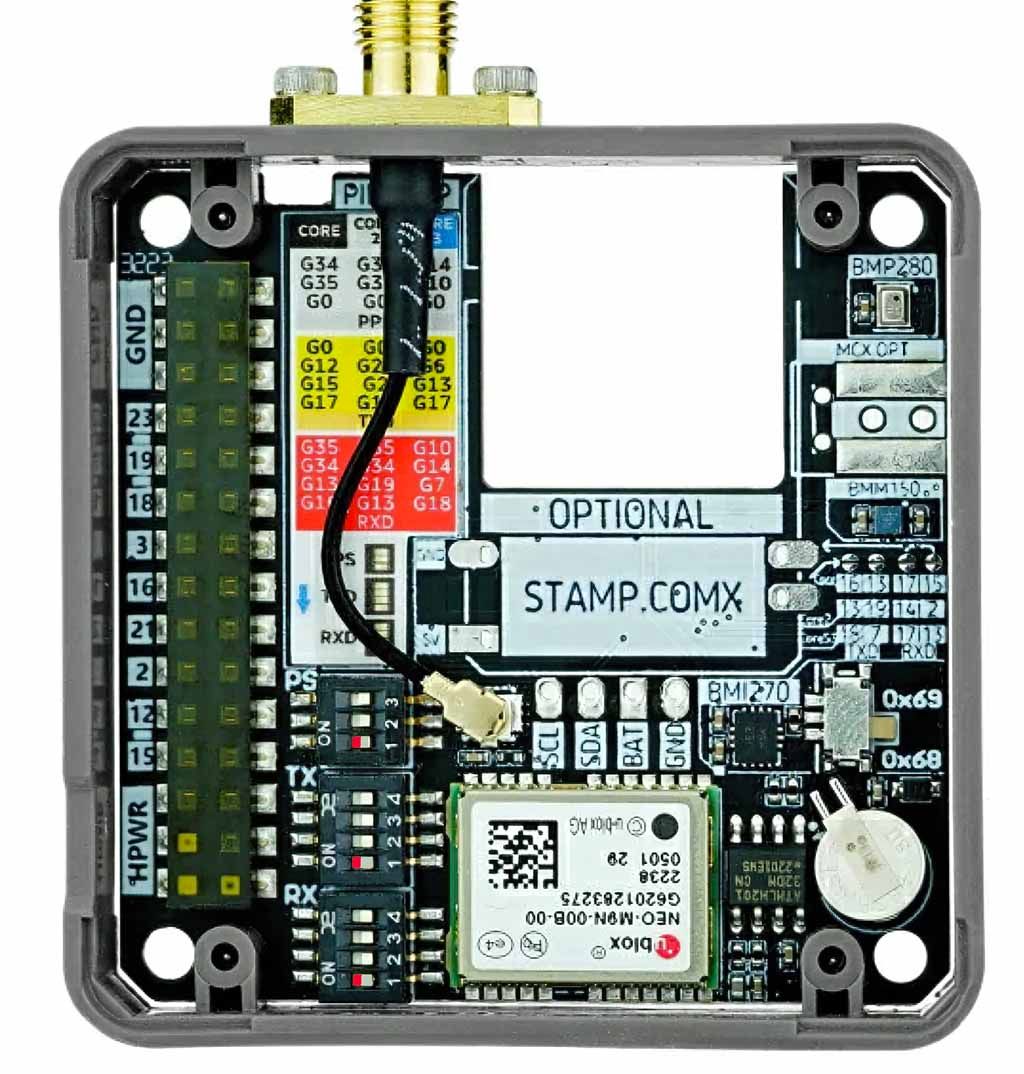
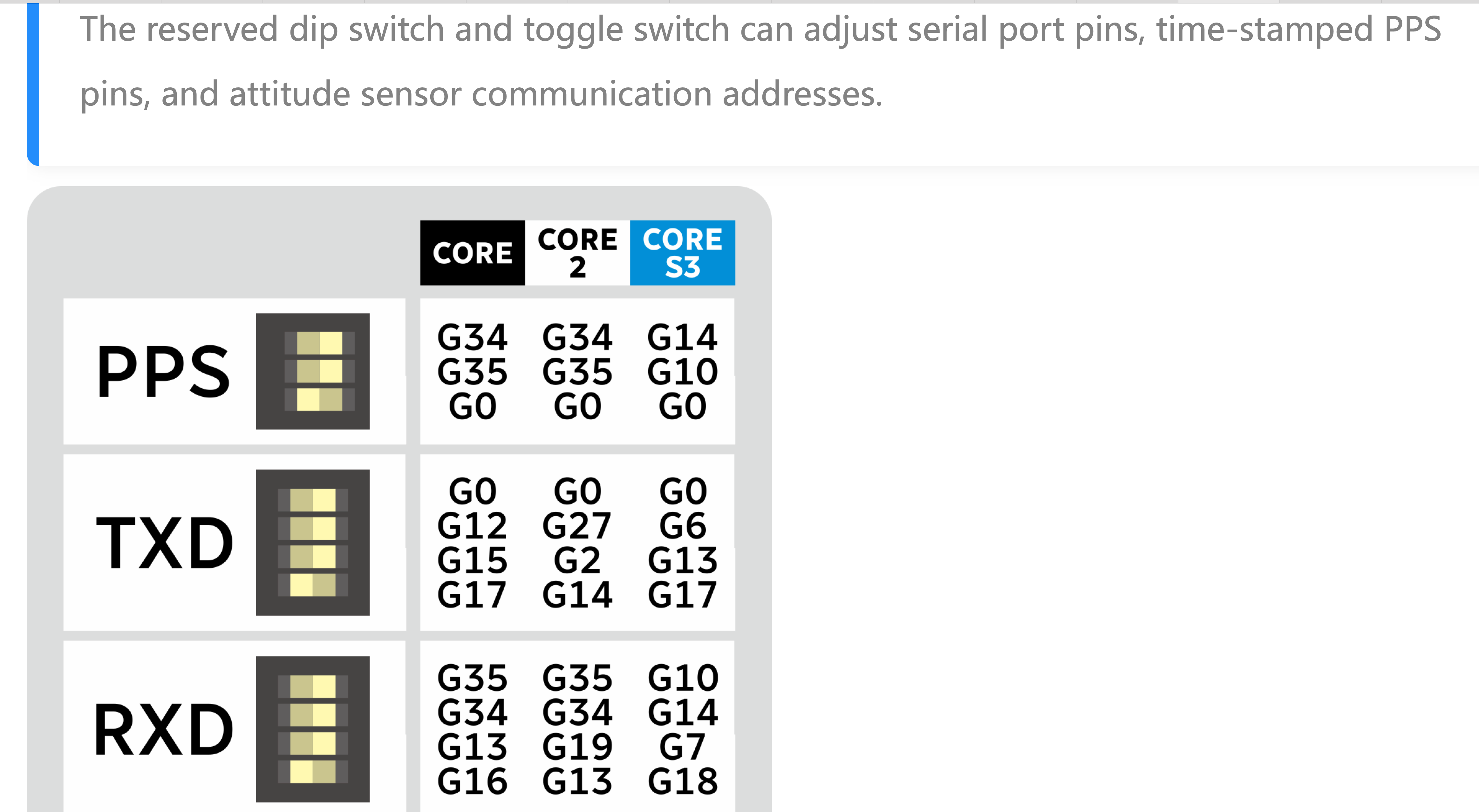
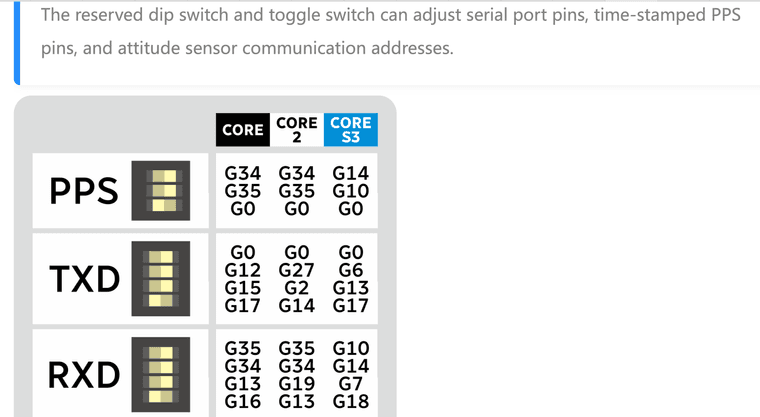
      can you please explain this documentation for DIP switches settings on GNSS module? How I can set it for the Core 2? DIPs are 0 or 1 but table has 3 columns.

      Thank you
      Snímek obrazovky 2024-05-28 v 20.27.23.png

      teastainT ajb2k3A robskiR 3 Replies Last reply Reply Quote 0
      • teastainT Offline
        teastain @oldrichsveda
        last edited by teastain

        @oldrichsveda
        Screenshot 2024-05-28 at 5.11.33 PM.png
        ;)

        Cheers, Terry!

        100% M5Stack addict with several drawers full of product!

        1 Reply Last reply Reply Quote 0
        • ajb2k3A Offline
          ajb2k3 @oldrichsveda
          last edited by

          @oldrichsveda Read the heading at the top of the columns.
          First column is for the Core, middle column is for the Core2 and the third column is for the Core 3.
          It is quite self explanatory.

          UIFlow, so easy an adult can learn it!
          If I don't know it, be patient!
          I've ether not learned it or am too drunk to remember it!
          Author of the WIP UIFlow Handbook!
          M5Black, Go, Stick, Core2, and so much more it cant be fit in here!

          1 Reply Last reply Reply Quote 0
          • robskiR Offline
            robski @oldrichsveda
            last edited by robski

            @oldrichsveda

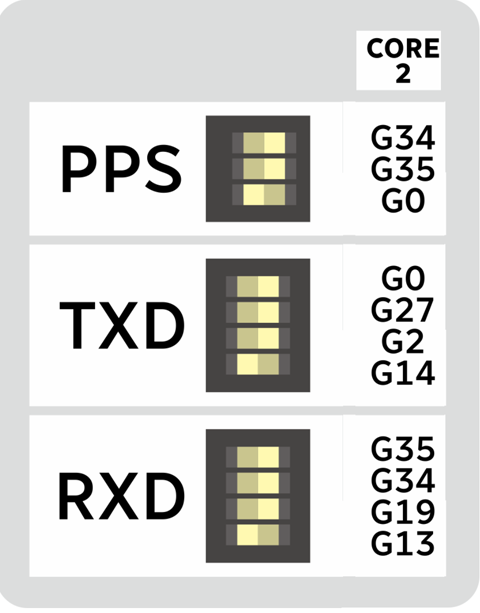
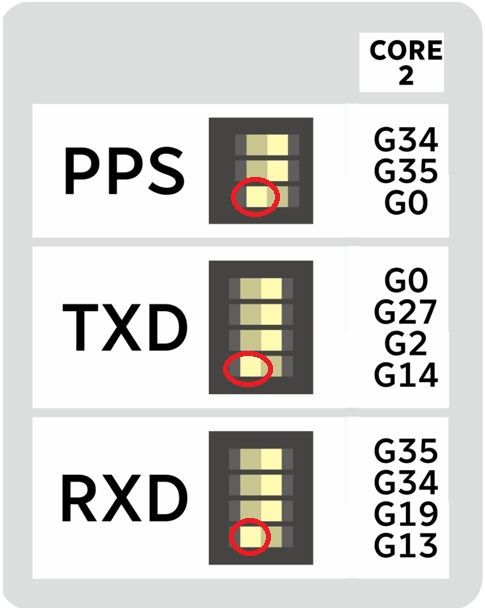
            by looking on the CORE2 table you can see that selection of gpio is :
            PPS enabled dip is for G0
            TXD enabled dip is for G14
            RXD enabled dip is for G13

            so to connect PPS/TXD/RXD you need G0/G14/G13
            gnss0.jpg

            M5StickC, M5StickCPlus, M5StickCplus2,M5GO, M5Core, M5Tough, M5Core2, M5 Demo Board, M5Dial, M5Paper, M5Atom, M5Cardputer, M5StampS3, CoreMP135, StamPLC, AirQ, M5Tab, M5CardputerAdv, M5StackChan

            teastainT 1 Reply Last reply Reply Quote 1
            • teastainT Offline
              teastain @robski
              last edited by

              @robski good! maybe THIS will help?

              Screenshot 2024-05-29 at 1.09.15 PM.jpg

              Cheers, Terry!

              100% M5Stack addict with several drawers full of product!

              1 Reply Last reply Reply Quote 1

              Hello! It looks like you're interested in this conversation, but you don't have an account yet.

              Getting fed up of having to scroll through the same posts each visit? When you register for an account, you'll always come back to exactly where you were before, and choose to be notified of new replies (either via email, or push notification). You'll also be able to save bookmarks and upvote posts to show your appreciation to other community members.

              With your input, this post could be even better 💗

              Register Login
              • First post
                Last post