How to create an infinite loop with a manual exit
-
I'm using UIFlow v2.4.2 and want to run the flashlight continuously without the current 100 cycle limit. Is there a way to trigger an infinite loop that I can break manually? Any ideas, examples or suggestions would be great!
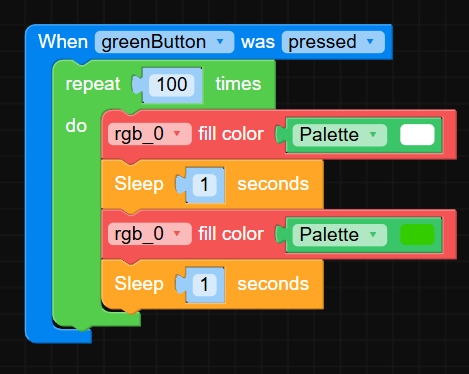
-
@JohnSal flashlight code inside function, function in the loop?
-
@robski can not drag it into the loop, it is outside
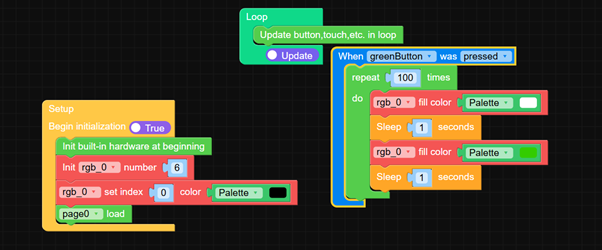
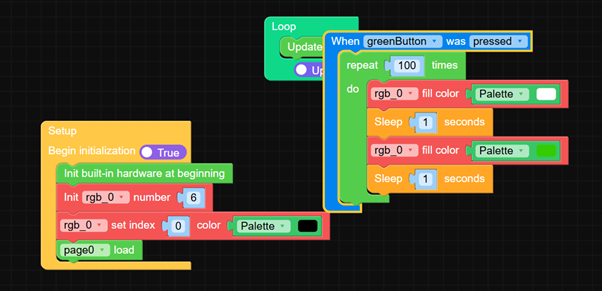
-
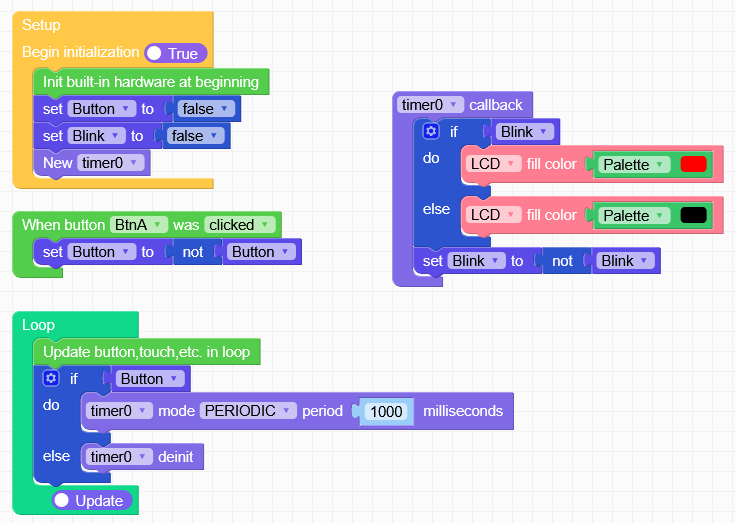
Just as an idea, code not tested:
Avoid to loop somewhere except the main loop!Setup:
- Create a variable called "Button" to enable/disable the flash function
- Create a variable called "Blink" for the current state of the light
- Start a timer
Button clicked:
- Invert the state of "Button"
Main Loop:
- If Button is TRUE, start the timer
- else (If it is FALSE) stop the timer
- your other code doing somewhat
Timer0:
- Blink the LCD (or whatever you want) using the "Blink" variable
-
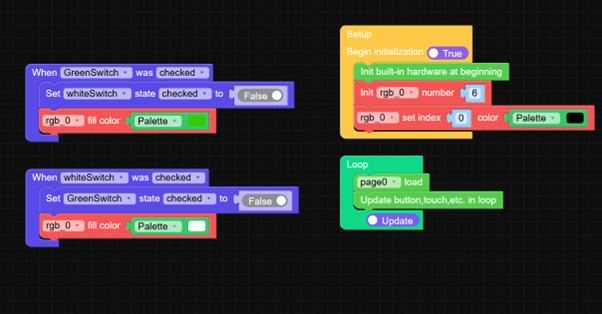
At the end I used switches and it works.

Hello! It looks like you're interested in this conversation, but you don't have an account yet.
Getting fed up of having to scroll through the same posts each visit? When you register for an account, you'll always come back to exactly where you were before, and choose to be notified of new replies (either via email, or push notification). You'll also be able to save bookmarks and upvote posts to show your appreciation to other community members.
With your input, this post could be even better 💗
Register Login