Hi there,
I am closing this topic. Actually the cause for these excessive variations was the 5V USB adapter I was using.
Hi there,
I am closing this topic. Actually the cause for these excessive variations was the 5V USB adapter I was using.
Thanks a lot ! It can be completed and it avoids to start from scratch
@mtylerjr Just tested the M5 demo example with my CO2 unit.. I don't have the L version, actually was not aware of its existence.
After a first run the sketch reported errors, the demo program uses Ubuntu font that does not exist on Core 2 UIFlow 1.12.3... I replaced all the labels fonts by default and yes the sensor works on Core 2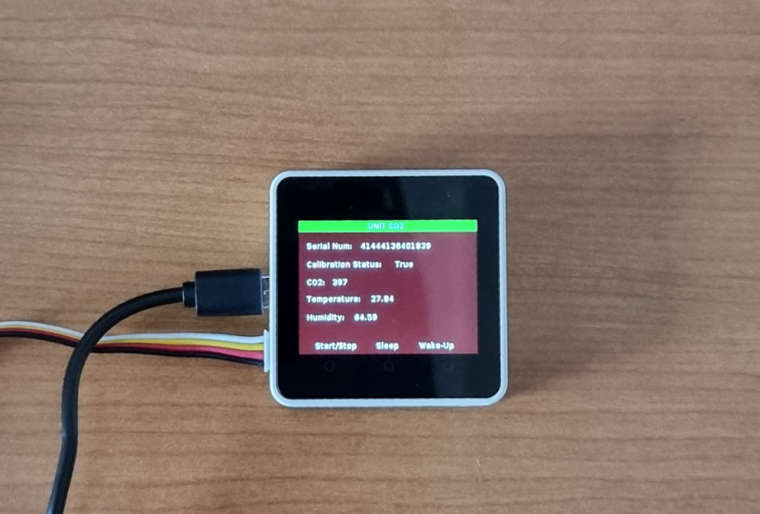
Thanks a lot ! Did not come to me as it is implemented directly in u pythonj but I remember having read about this workaround when I used to program in other languages.
Took me a little bit of time to set this up in UI Flow but it works perfectly of course.
Thanks for the sharing. Fully agree with you on the lack of documentation of UI flow. Actually I sent a post on this matter but did not get a single answer !
Hi there,
I was working on a program on basic Core as got he message "Upload code failed, maybe your device is offline, check it and retry"
My device was fine and connected to my wireless. In order to reset it, I burned it with M5 burner and tried again.. Same issue. I then tried to pair UI Flow with another Core device with the same results..
From these facts, I am thinking that there is a server issue.
How long donwntime can I expect ? Is there something I can do like getting a new AP key ?
Thanks for your answers