[Project] Flashlight ADV (V1.0) for M5Stack Cardputer - Smart Tactical Flashlight
-
Hi everyone!
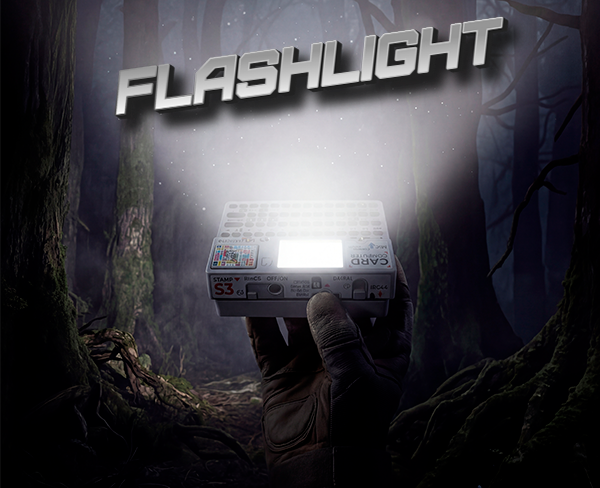
I just published a new utility for the Cardputer ADV. It's a highly optimized, state-machine-based flashlight that repurposes the TFT display as a multi-mode light source.
⚡ Key Features
- Smart Controls (Press ANY Key):
- Single Click: Power ON/OFF. Features a Smart Memory system that remembers your last used color (White or Red).
- Double Click: High-speed Strobe mode (50ms interval).
- Hold (0.5s): Tactical Red Light mode to preserve night vision.
- Deep Battery Optimization: The ESP32-S3 CPU is automatically underclocked down to 80MHz. This guarantees stable I2C/SPI operation while drastically reducing battery consumption and preventing any heat generation during long-term use.
- Hardware-Level Display Control: When turned off, the firmware kills the TFT backlight brightness to
0and fills the VRAM withTFT_BLACKto completely halt power draw from the screen matrix.
🧲 Practical Use Cases
- Hands-Free Work: Thanks to the built-in magnets inside the Cardputer case, you can attach the device to server racks, car hoods, or any metal surface to illuminate your workspace.
- Night Vision Preservation: The dedicated Red Light mode is perfect for astronomy, reading in the dark, or tactical environments where standard white light is too harsh.
- Emergency Beacon: The high-frequency Strobe mode can be used as a distress signal or a highly visible marker on the road.
🛠 How to install
- M5Burner: The firmware is proprietary. You can install the binary directly by opening M5Burner and searching for
Flashlight ADVorZeloksa. - Project Page / Issue Tracker: https://github.com/Zeloksa/Cardputer-Flashlight-ADV
☕ Support the Project
If you find this utility useful for your EDC (Everyday Carry), consider supporting further development here: https://boosty.to/zeloksa
- Smart Controls (Press ANY Key):