🤖Have you ever tried Chat.M5Stack.com before asking??😎
    M5Stack Community
    • Categories
    • Recent
    • Tags
    • Popular
    • Users
    • Groups
    • Search
    • Register
    • Login

    UIFlow V1.12.8 Atom Lite RTC read error

    Scheduled Pinned Locked Moved Bug Report
    6 Posts 3 Posters 5.1k Views 1 Watching
    Loading More Posts
    • Oldest to Newest
    • Newest to Oldest
    • Most Votes
    Reply
    • Reply as topic
    Log in to reply
    This topic has been deleted. Only users with topic management privileges can see it.
    • P Offline
      Piet
      last edited by

      Using the block rtc read ["rtc_0" get rtc "seconds'] returns an error
      Desktop uiFlow V1.9.5 block rtc [in list] "rtc_0" get rtc [get # from end "0"] returns ok

      1 Reply Last reply Reply Quote 0
      • felmueF Offline
        felmue
        last edited by

        Hello @Piet

        hmm, the block ["rtc_0" get rtc "seconds"] works fine for me with RTC unit connected to port A.

        My M5Atom lite is running firmware UIFlow v1.12.8 and I used Web UIFlow to test.

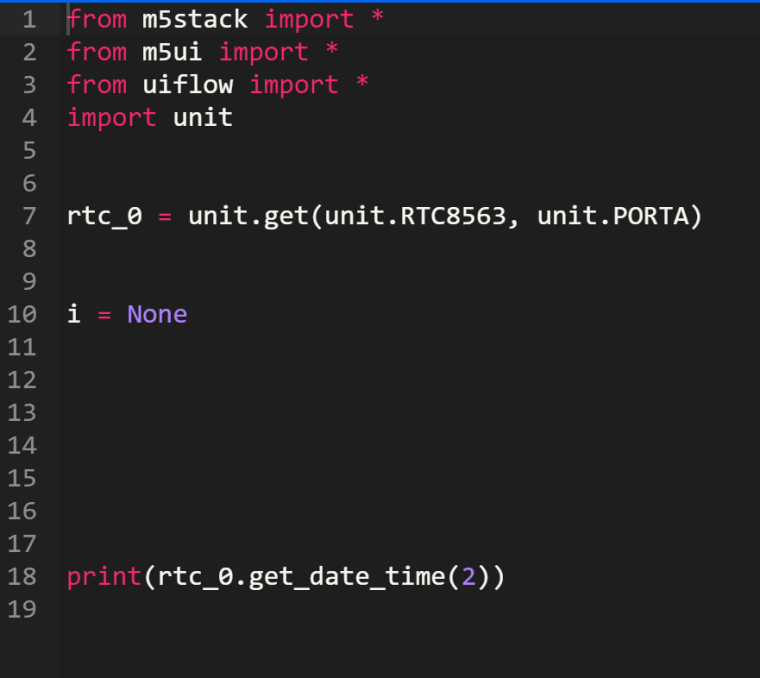
        from m5stack import *
        from m5ui import *
        from uiflow import *
        import unit
        
        rtc_0 = unit.get(unit.RTC8563, unit.PORTA)
        print(rtc_0.get_date_time(0))
        

        Did you verify the RTC unit is properly connected to port A?

        Thanks
        Felix

        GPIO translation table M5Stack / M5Core2
        Information about various M5Stack products.
        Code examples

        1 Reply Last reply Reply Quote 0
        • P Offline
          Piet
          last edited by

          Hi Felix
          Thank you for replying...
          The following runs fine in the desktop IDE V1.9.5 and flashes the LED for the number of months so I know the rtc is set... n.b. not seconds in this example
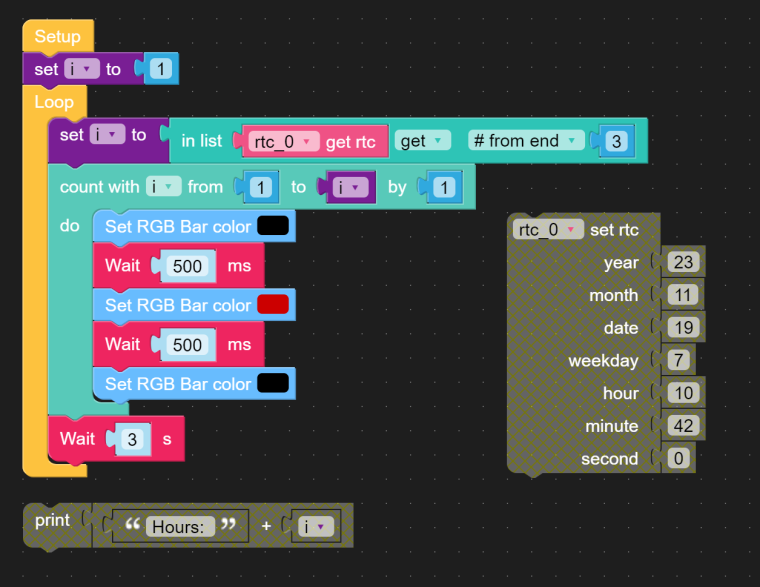
          0_1700349502242_251fe05c-4f68-4435-87de-a42859f338a2-image.png
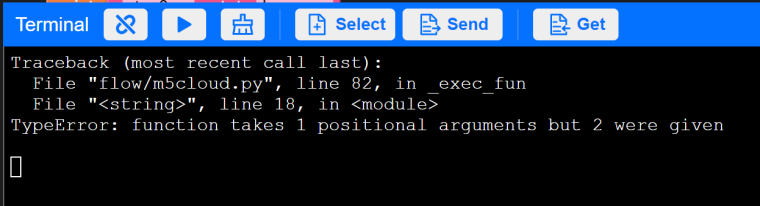
          Changing to the Web UIFlow all attemps of running the script with new read statement return an error.
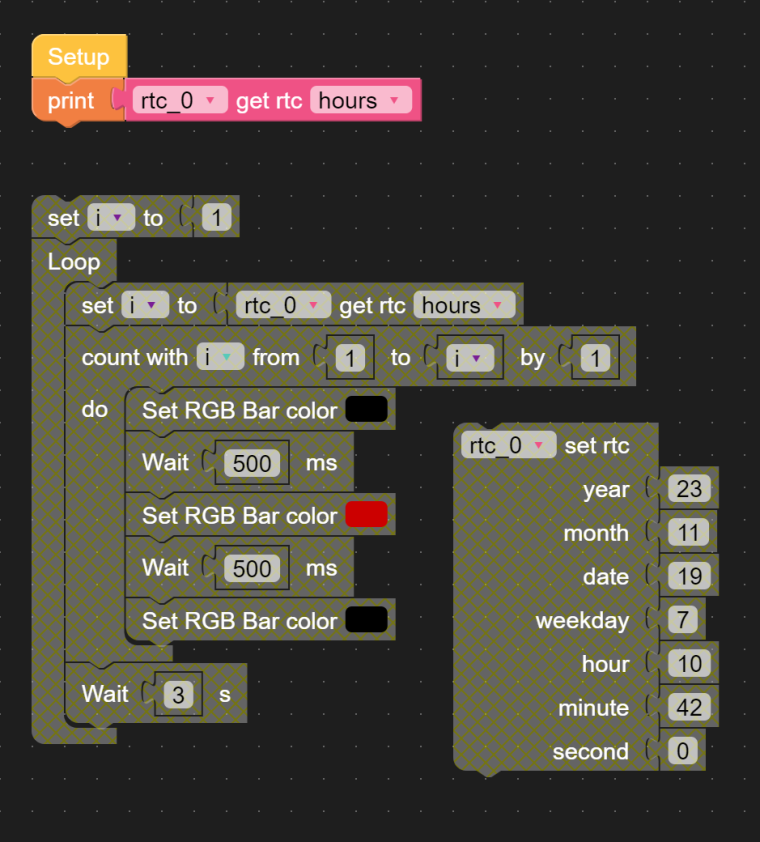
          0_1700349861169_b1ed1c5e-4ff5-420f-9cf3-f18ef0d65d97-image.png
          0_1700349875957_02777762-32d9-4700-ab82-86fc5878a91e-image.png
          0_1700349896911_6f1d09c5-dfd3-4be1-9e1c-c6e8e428cc8e-image.png
          I believe that the the atom and the rtc are working correctly.
          The new python code in the Web UIFlow is (rtc_0.get_date_time(2)) where as in the desktop UIFlow it is (rtc_0.get_date_time())[-3]

          P 1 Reply Last reply Reply Quote 0
          • felmueF Offline
            felmue
            last edited by

            Hello @Piet

            not sure what's going on. I can read hours, minutes and seconds just fine. Below code runs without error for me.

            from m5stack import *
            from m5ui import *
            from uiflow import *
            import unit
            
            rtc_0 = unit.get(unit.RTC8563, unit.PORTA)
            
            print(rtc_0.get_date_time(2))
            print(rtc_0.get_date_time(1))
            print(rtc_0.get_date_time(0))
            

            Which UIFlow firmware version is installed on your M5Atom Lite? I have UIFlow firmware v1.12.8 running on my M5Atom Lite.

            Thanks
            Felix

            GPIO translation table M5Stack / M5Core2
            Information about various M5Stack products.
            Code examples

            1 Reply Last reply Reply Quote 0
            • P Offline
              pandian.nano @Piet
              last edited by

              @piet
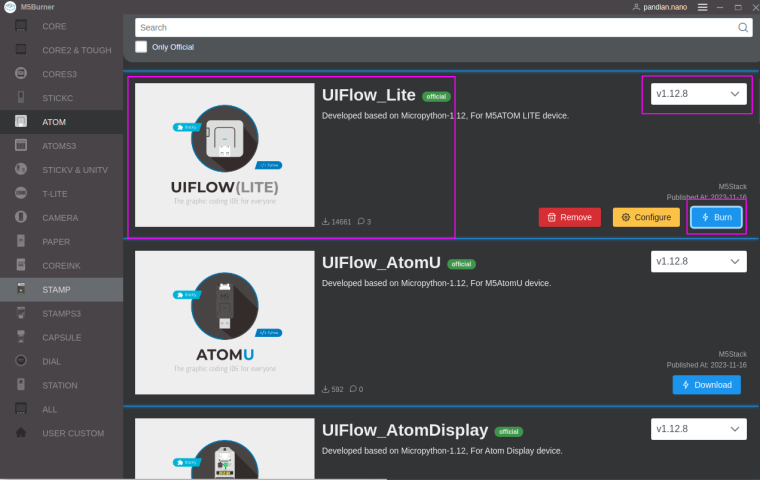
              Do not use the desktop version uiflow firmware, it is discontinued, please use the new update firmware[v1.12.8] via the m5burner
              0_1700447132233_9777c014-8332-491c-8d07-c961836891a4-image.png

              P 1 Reply Last reply Reply Quote 0
              • P Offline
                Piet @pandian.nano
                last edited by

                @pandian-nano
                Hi Felix and Pandian
                I am sorry. I was using an old M5Burner.
                Flashing with the M5Burner V1.12.8 and using the Web UIFlow everythings is working
                Thank you for your help
                kind regards piet

                1 Reply Last reply Reply Quote 0

                Hello! It looks like you're interested in this conversation, but you don't have an account yet.

                Getting fed up of having to scroll through the same posts each visit? When you register for an account, you'll always come back to exactly where you were before, and choose to be notified of new replies (either via email, or push notification). You'll also be able to save bookmarks and upvote posts to show your appreciation to other community members.

                With your input, this post could be even better 💗

                Register Login
                • First post
                  Last post