UIFlow + StepMotor Driver M039
-
Hi,
I'm using a M5 Core1 with UIFlow 1.9.0, installed with M5 burner on MacOsX 12.I use the StepMotor Driver module M039 with UIFlow.

The fonctions provided by UIFlow are :
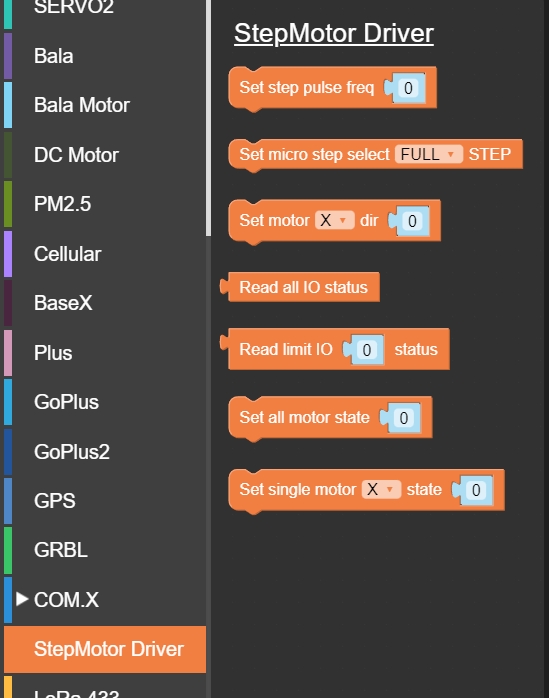
2 bugs here I think :
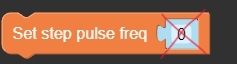
- fonction "Set step motor pulse freq" could not be set to 0 (which is sadly the default value provided). If you set freq to 0, next blocks are not executed and with no error which makes it very difficult to debug.
- fonction "Set single motor state" could be set to X, Y or Z to control each motor individualy (I hope). But it doesn't. The motors are all working together. It is exactly as if you used "set all motor state".

To control each motor individualy, I need to use the pwm functions but I cannot control the Z motor like this because there is on 2 timers (0 & 3) available.
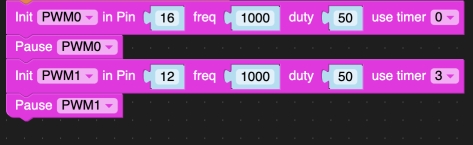
Could you please correct the "Set single motor state" function ?
Thank you
- fonction "Set step motor pulse freq" could not be set to 0 (which is sadly the default value provided). If you set freq to 0, next blocks are not executed and with no error which makes it very difficult to debug.
-
A little update : UIFlow has been updated. The state and direction are not usable the same way :
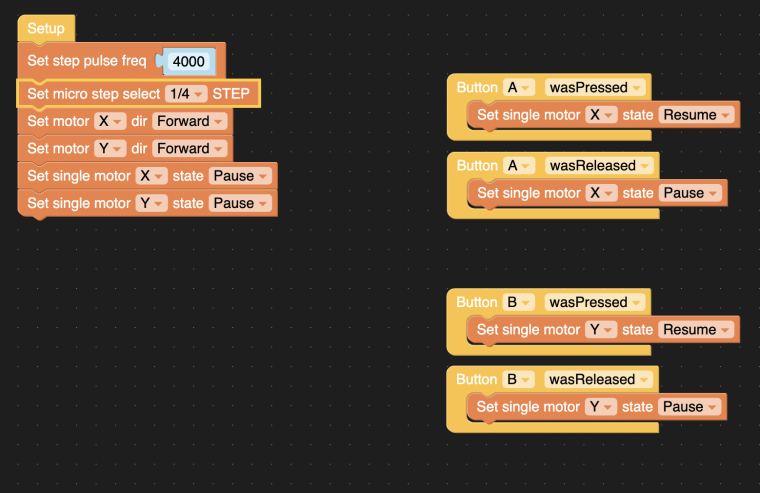 . That change broke our program (it's a pitty). Now you can use variables, you need to make 'ifs' because direction is now forward/reverse et state is now pause/resume.
At the same time, bugs are still there : you cannot command a single motor, even if you use "set single motor X state resume", it will start the 3 motors at the same time. You must use the workaround I talked about in my previous post : pwm.
-
I had a headache for 2 days because of this module.
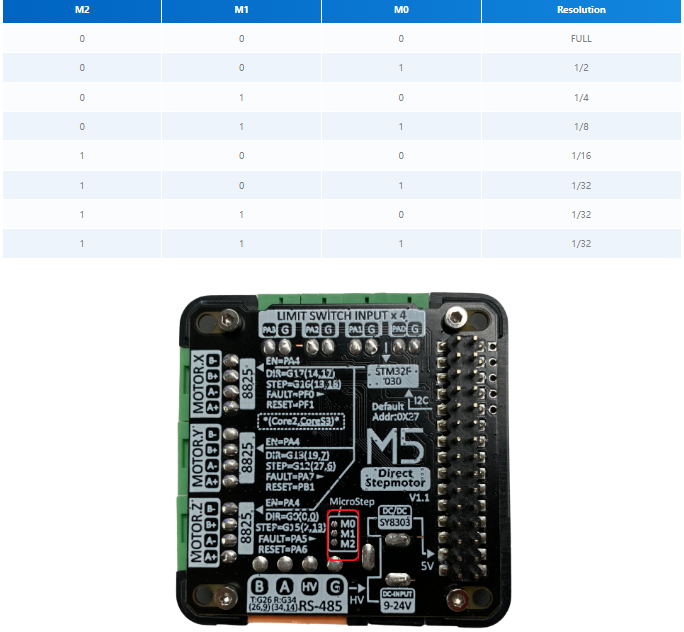
I can't adjust the microsteps. It doesn't work...
Do you manage to give the manage to run the motor for a given number of steps and stop itself without endstops?
Thanks!
Gab -
Hi, Are you using step motor driver v1 or v1.1? Microsteps function supports v1 and does not support v1.1


Hello! It looks like you're interested in this conversation, but you don't have an account yet.
Getting fed up of having to scroll through the same posts each visit? When you register for an account, you'll always come back to exactly where you were before, and choose to be notified of new replies (either via email, or push notification). You'll also be able to save bookmarks and upvote posts to show your appreciation to other community members.
With your input, this post could be even better 💗
Register Login