Pahub not recognized on port SDA21/SCL22 (uiflow 1.9.1) - help needed
-
I am limited in number of ports for my project, I have to use I2C with internal ports 21/22.
When I declare in Uiflow a PaHUB alone on 21/22, I don't get an error message. But if I declare in Uiflow a Pahub and an Extend i/o unit on the Pahub, I systematically get an error message on the CORE2 "Pahub unit may be not connected".
If I connect and declare the Pahub whith extend i/o on port A it works.
I need several Extend i/o, I have no other solution than the PaHUB.
I tried to modify the I2C address of an extend i/o (0x25), but Uifow does not recognize it, it looks for it on 0x27 (possible to change that?)
A little help would be appreciated -
Hello @Arno
I don't think this kind of setup will work with the current UiFlow version. I tried many things to trick the PbHub being recognized on a PaHub connected to 21/22.
That said, the trouble actually starts before that. Even with only a PaHub connected and setup to use 21/22 below code either crashes my M5Core2 after a short time or it shows an
I2C bus error (110). I think the UiFlow firmware and the micropython code both trying to use the I2C bus at the same time is causing this.from m5stack import * from m5stack_ui import * from uiflow import * import unit screen = M5Screen() screen.clean_screen() screen.set_screen_bg_color(0xFFFFFF) pahub_0 = unit.get(unit.PAHUB, (21,22)) while True: pahub_0.select(0, 1) wait_ms(2)Thanks
FelixGPIO translation table M5Stack / M5Core2
Information about various M5Stack products.
Examples -
Thanks @felmue
The PaHUB solution on internal I2C 21/22 does not seem to be the right solution.
I only have to use two EXTEND I/O with two different addresses, but Uiflow only recognizes address 0x27.
Do you have an example of using EXTEND I/O with the I2C master functions of Uiflow without going through the declaration of an EXTEND I/O unit.
I only need the 8 I / O input and to read their status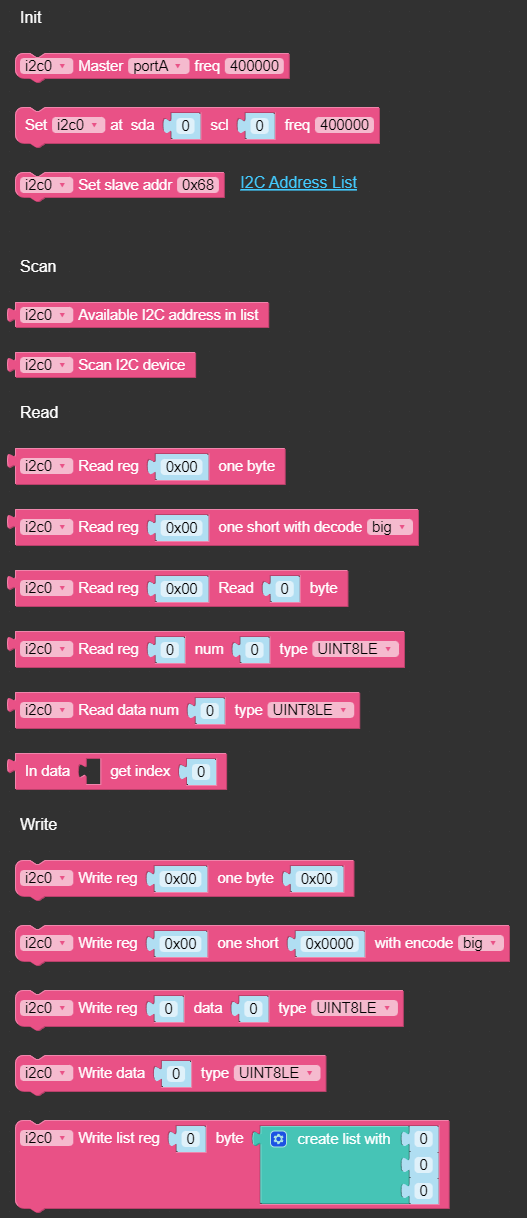
an example of use would be very useful
-


Hello! It looks like you're interested in this conversation, but you don't have an account yet.
Getting fed up of having to scroll through the same posts each visit? When you register for an account, you'll always come back to exactly where you were before, and choose to be notified of new replies (either via email, or push notification). You'll also be able to save bookmarks and upvote posts to show your appreciation to other community members.
With your input, this post could be even better 💗
Register Login