Read own API Key in UIFlow/micropython?
-
Try
print(APIKEY)
#or
print(_APIKEY)
Should work. On device boot in serial monitor was displayed all boot messages includes apikey.
-
@robalstona Thanks for reply.
I tried the following code, but I get an error.
from m5stack import *
from m5ui import *
from uiflow import *

setScreenColor(0x111111)

print(APIKEY)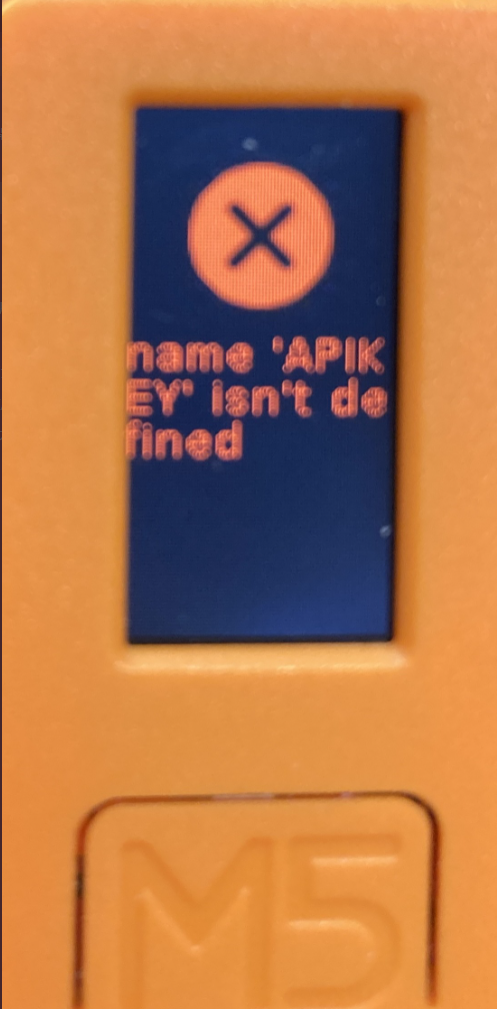
"_APIKEY" also resulted in an error.
Do I need to install any additional modules?
-
Try:
import deviceCfg
print("APIKEY: " + deviceCfg.get_apikey())
But the APIKEY not fixed.I think you should use MAC addr for the devices:
import machine import binascii mac_addr = binascii.hexlify(machine.unique_id()).decode('utf-8') -
@iamliubo, Thanks for reply!
By using this code, I was able to get the API Key:
import deviceCfg
akey=deviceCfg.get_apikey()
BTW, the MAC address can be obtained with the following code:
macaddr=wifiCfg.wlan_sta.config('mac')
macaddr='{:02x}:{:02x}:{:02x}:{:02x}:{:02x}:{:02x}'.format(*macaddr)
Thank you!
-
Hello, how about accessing the device's API key from Blockly? Is it possible? I am using M5 Stack new Stamp Pico.
-
@labixiaoxin8888 No need as the API key is stuck on the front of the stamp.
If you install Thonny and run the terminal monitor, the API's for any device connected will be shown in the terminal for Micropython.
-
@ajb2k3 Alright, thank you!
-
@ajb2k3 Is it possible to print any output for UI flow remote control website?
-
There is an experimental feature of Micropython called webRPEL
-
@ajb2k3 Thanks!


Hello! It looks like you're interested in this conversation, but you don't have an account yet.
Getting fed up of having to scroll through the same posts each visit? When you register for an account, you'll always come back to exactly where you were before, and choose to be notified of new replies (either via email, or push notification). You'll also be able to save bookmarks and upvote posts to show your appreciation to other community members.
With your input, this post could be even better 💗
Register Login